How to Put Your Business on Google in Ghana: Complete 2026 Guide
how-to-put-your-business-on-google-in-ghana
BV
BiVisible Team
Editorial Staff
Tuesday, 9 June 20265 min read0 views
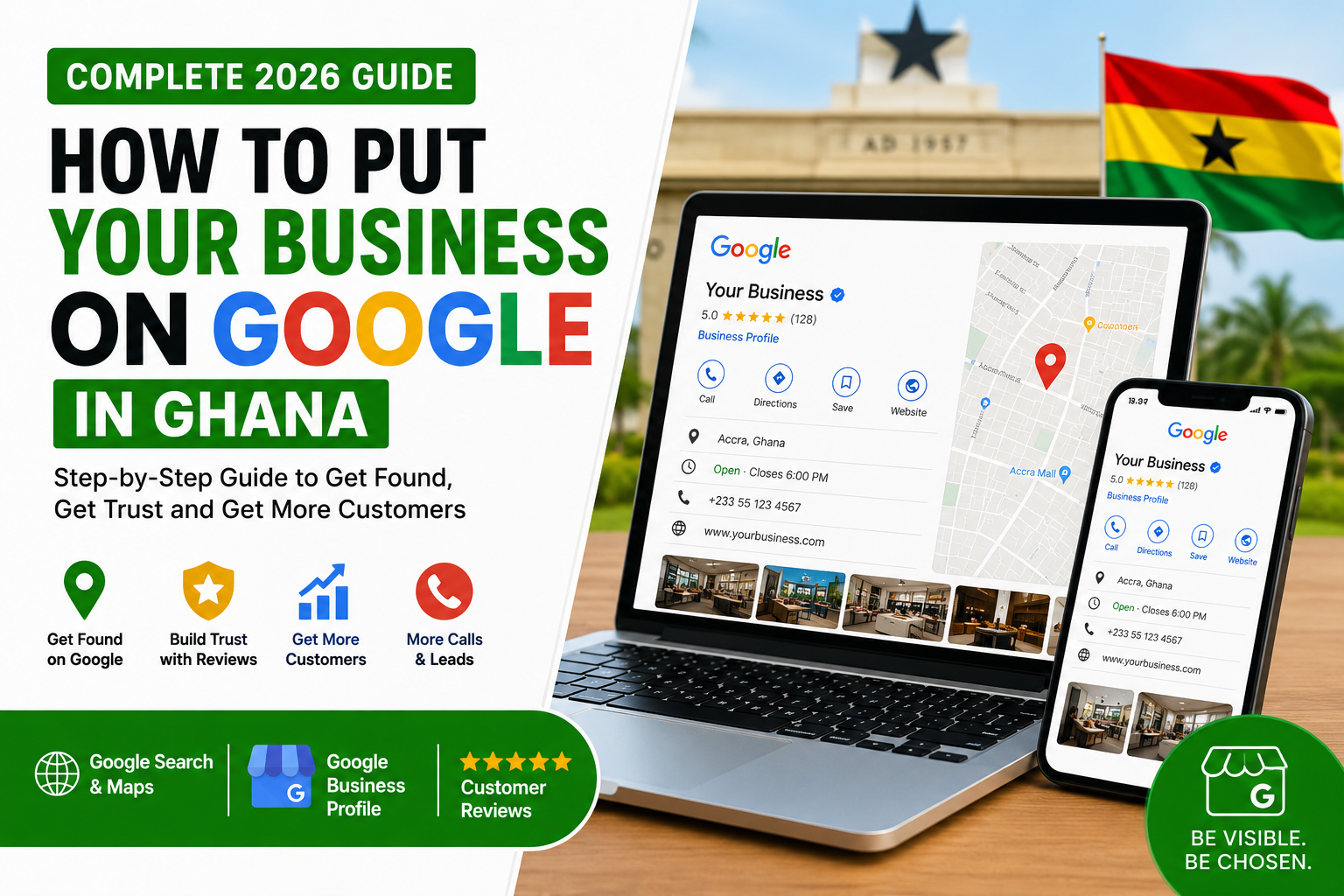
A Ghanaian business owner adding their business to Google Business Profile on a laptop and mobile phone.
How to Put Your Business on Google in Ghana: Complete 2026 Guide
In Ghana today, many customers do not wait to see your signboard before they trust your business. They search on Google first.
Someone in Accra may search for “salon near me.”
Someone in Kumasi may search for “best restaurant near Adum.”
A parent in Tema may search for “private school near me.”
A business owner in Takoradi may search for “website designer in Ghana.”
A church member may search for directions to a church program on Google Maps.
If your business does not appear on Google Search and Google Maps, you may be losing customers every day without knowing it.
The good news is that Google allows businesses to create a free business profile. This profile helps your business appear when people search for your name, service, product, location, or business category.
This guide will show you how to put your business on Google in Ghana, verify your business, optimize your profile, attract more customers, and avoid common mistakes that prevent many Ghanaian businesses from showing properly online.
What Does It Mean to Put Your Business on Google?
Putting your business on Google means creating or claiming your Google Business Profile.
A Google Business Profile is the information box that appears when people search for your business on Google Search or Google Maps. It can show your:
• Business name
• Location
• Phone number
• Website
• Opening hours
• Photos
• Services
• Products
• Customer reviews
• Directions
• WhatsApp or call button
• Updates and offers
For example, if someone searches for your business name, Google may show your profile with your address, phone number, reviews, directions, and photos. If your profile is optimized well, your business can also appear when customers search for related services in your area.
This is powerful for small businesses in Ghana because most customers want quick information before they call, visit, or buy.
Why Every Ghanaian Business Should Be on Google in 2026
Whether you run a shop, salon, school, restaurant, church, clinic, logistics company, consultancy, real estate agency, gym, fashion brand, or professional service, Google visibility can help your business grow.
Here are the main benefits:
1. Customers Can Find You Easily
When your business is on Google, people can find your location, call you, get directions, visit your website, or send you a message.
This is especially important for businesses in places like Accra, Tema, Kumasi, East Legon, Osu, Spintex, Madina, Kasoa, Lapaz, Adenta, Takoradi, Ho, Cape Coast, Tamale, Sunyani, and other fast-growing areas.
2. Your Business Looks More Trustworthy
Customers are more likely to trust a business that appears on Google with real photos, reviews, correct contact details, and clear business information.
If your business is not on Google, some customers may think you are not serious, not active, or not easy to contact.
3. You Can Get Free Traffic
Google Business Profile is one of the best free visibility tools for businesses. You do not need to pay Google before your profile can appear. However, you must set it up correctly and keep it active.
4. You Can Get More Calls and Walk-In Customers
Many people search with buying intent. When someone searches “phone repair near me,” “restaurant near me,” “best barber in Accra,” or “website designer in Ghana,” they are likely looking for a service now.
If your profile appears with a call button and directions, you can get direct leads.
5. You Can Compete With Bigger Businesses
Even if you are a small business, a well-optimized Google Business Profile can help you compete with larger companies in your area.
Local visibility is not only about who is the biggest. It is also about who provides clear information, good service, strong reviews, active updates, and relevant content.
Step-by-Step Guide: How to Put Your Business on Google in Ghana
Step 1: Create or Sign In to a Google Account
Before you create your business profile, you need a Google account. It is better to use a professional Gmail account connected to your business.
Avoid using an employee’s personal email unless that person is the business owner. Many Ghanaian businesses lose access to their Google profiles because the profile was created with the wrong email.
Use an email you control permanently, such as:
• Your official business Gmail
• Your company email
• The owner’s business email
Do not use an email belonging to a staff member who may leave the company later.
Step 2: Search for Your Business on Google First
Before creating a new profile, search for your business name on Google and Google Maps.
Sometimes Google may already have a profile for your business because of customer activity, website information, third-party directories, or map data.
Search for:
• Your business name
• Your business name plus location
• Your phone number
• Your business category plus location
Example:
• “Ama Beauty Salon East Legon”
• “DK Catering Services Accra”
• “Grace Dental Clinic Tema”
• “Bright Future School Kasoa”
If your business already appears, do not create a duplicate profile. Instead, claim ownership.
Duplicate profiles can confuse customers and hurt your visibility.
Step 3: Go to Google Business Profile
Go to Google and search for “Google Business Profile.” You can also search “add my business to Google.”
Choose the official Google Business Profile option and start the process.
Google will ask for basic business information, including:
• Business name
• Business category
• Location
• Service area
• Phone number
• Website
• Opening hours
Take your time here. The information you enter must be accurate.
Step 4: Enter Your Correct Business Name
Your business name should be the real name customers know.
Do not add unnecessary keywords to your business name just to rank. For example, if your business name is “Ama Beauty Salon,” do not write:
“Ama Beauty Salon Best Hairdresser Makeup Wig Installation East Legon Accra Ghana”
That looks spammy and can cause problems.
Use your real business name:
“Ama Beauty Salon”
If your legal or public brand name includes a location or service, that is fine. But do not add keywords that are not part of your real name.
Step 5: Choose the Right Business Category
Your category helps Google understand what your business does.
Choose the most accurate main category first. This is very important.
Examples:
• Restaurant
• Hair salon
• Digital marketing agency
• Website designer
• School
• Church
• Real estate agency
• Hospital
• Dental clinic
• Clothing store
• Event planner
• Security service
• Computer repair service
• Photography studio
• Logistics service
• Gym
• Law firm
• Accounting firm
After choosing your main category, you can add secondary categories where necessary.
Do not choose too many unrelated categories. Focus on what your business actually provides.
Step 6: Add Your Business Location
If customers visit your physical location, add your address.
Examples:
• A shop
• An office
• A salon
• A school
• A restaurant
• A clinic
• A church
• A showroom
• A training center
Make sure your address is clear and easy to find.
In Ghana, some areas do not have very clear digital addresses, so you can also include helpful location descriptions in your profile, website, and posts.
Example:
“Opposite Shell Filling Station, near Madina Zongo Junction.”
But keep the main address professional and consistent.
Step 7: Set Your Service Area
If you serve customers at their location instead of customers visiting you, you can set a service area.
This is good for businesses such as:
• Plumbers
• Electricians
• Cleaning services
• Delivery services
• Catering services
• Event decorators
• Photographers
• Mobile repair technicians
• Digital service providers
• Security installers
• Real estate agents
You can add areas like:
• Accra
• Tema
• Kumasi
• Kasoa
• East Legon
• Spintex
• Madina
• Adenta
• Takoradi
• Cape Coast
• Ho
• Tamale
Do not add areas you cannot realistically serve.
Step 8: Add Your Phone Number and Website
Add a phone number that customers can easily reach.
For Ghanaian businesses, it is best to use a number connected to your sales or customer service team. If you use WhatsApp Business, make sure the number is active and professionally managed.
Also add your website if you have one.
If you do not have a website, you should consider creating one. A website gives your business more credibility and helps Google understand your services better.
Your website should include:
• Your services
• Your location
• Contact information
• WhatsApp button
• Customer testimonials
• Photos
• FAQs
• Blog articles
• Clear call-to-action buttons
A Google Business Profile is powerful, but combining it with a good website is even better.
Step 9: Add Your Business Hours
Add your correct opening and closing hours.
This helps customers know when to call or visit.
If your hours change during holidays, special programs, church events, school vacations, or festive seasons, update them.
Wrong opening hours can make customers angry. Imagine a customer driving from Tema to your shop in Accra only to find out you are closed, even though Google says you are open.
Accuracy builds trust.
Step 10: Verify Your Business
Google usually requires verification before your business profile becomes fully active.
Verification methods may vary depending on the business type, location, and Google’s system. You may be asked to verify through:
• Phone
• Email
• Video recording
• Live video call
• Postcard
• Other available methods
During verification, Google wants to confirm that your business is real and that you are authorized to manage it.
To prepare for verification, make sure you have:
• A visible business signboard if you have a physical location
• Business documents if available
• Access to the business premises
• Matching business name and address
• Real photos of the business
• Correct contact details
If Google asks for video verification, show the outside of the business, nearby landmarks, business signage, tools, equipment, office area, products, or proof that the business exists at that location.
Do not fake your location. Do not use someone else’s address. Do not use a virtual address if it does not represent your real business operation.
How to Optimize Your Google Business Profile After Setup
Creating the profile is only the beginning. If you want results, you must optimize it.
1. Add High-Quality Photos
Photos help customers trust your business.
Upload photos of:
• Your office or shop front
• Your team
• Your products
• Your services in action
• Your completed work
• Your training sessions
• Your restaurant meals
• Your salon work
• Your church auditorium
• Your school compound
• Your event setup
• Your branded materials
For Ghanaian SMEs, real photos work better than generic stock photos. Customers want to see the real business.
Update your photos regularly.
2. Write a Strong Business Description
Your business description should explain who you are, what you do, where you operate, and why customers should choose you.
Example:
“BiVisibleHub helps businesses in Ghana improve their online visibility through Google Business Profile setup, website development, local SEO, WhatsApp Business optimization, digital promotion, business audits, and cybersecurity support. We help SMEs, churches, schools, restaurants, salons, real estate businesses, and service providers get found online and convert more customers.”
Make it clear. Do not stuff it with too many keywords.
3. Add Your Services
List your services one by one.
For example, a digital agency can add:
• Google Business Profile setup
• Website design
• Local SEO
• WhatsApp Business setup
• Social media management
• Business visibility audit
• Digital promotion
• Cybersecurity check
• CRM setup
• AI customer reply setup
A salon can add:
• Hair styling
• Wig installation
• Bridal makeup
• Pedicure
• Manicure
• Hair treatment
• Home service
A restaurant can add:
• Dine-in
• Takeaway
• Delivery
• Catering
• Corporate lunch
• Event food service
The more clearly you describe your services, the easier it is for customers and Google to understand your business.
4. Add Products Where Necessary
If you sell products, add them to your profile.
Examples:
• Clothing
• Food packages
• Beauty products
• Electronics
• Books
• Farm produce
• Kente cloth
• Training packages
• Event tickets
• Real estate listings
• Service packages
Include product names, prices where possible, descriptions, and good photos.
5. Ask Customers for Reviews
Reviews are very important for trust and visibility.
Ask satisfied customers to leave honest reviews after they buy from you or use your service.
You can say:
“Thank you for doing business with us. Please kindly leave us a Google review to help other customers trust our service.”
Do not buy fake reviews. Do not force customers. Do not review your own business with multiple fake accounts.
Good reviews should mention the service, location, and customer experience naturally.
Example:
“BiVisibleHub helped us set up our Google Business Profile and website for our salon in East Legon. We started getting more calls from customers who found us on Google.”
That kind of review is powerful because it includes the service and location naturally.
6. Respond to All Reviews
Do not ignore reviews.
Respond to positive reviews with appreciation.
Example:
“Thank you for choosing us. We are happy we could support your business visibility in Ghana.”
Respond to negative reviews professionally.
Example:
“Thank you for your feedback. We are sorry for the experience and would like to resolve it. Please contact our support team so we can assist you.”
Your response shows future customers that you care.
7. Post Updates Regularly
Google Business Profile allows you to post updates, offers, events, and announcements.
Use this feature to promote:
• New products
• Special offers
• Church programs
• School admissions
• Restaurant menus
• Training programs
• Events
• Discounts
• Business announcements
• New branch openings
Post at least once every week.
A dormant profile looks inactive. An active profile builds confidence.
8. Keep Your Information Consistent Everywhere
Your business name, address, and phone number should be consistent across:
• Google Business Profile
• Website
• Facebook page
• Instagram
• TikTok
• LinkedIn
• Business directories
• Flyers
• Receipts
• WhatsApp Business
• Email signature
If your business name appears differently on every platform, Google and customers may get confused.
Consistency improves trust.
Common Mistakes Ghanaian Businesses Make on Google
Mistake 1: Creating Duplicate Profiles
Some businesses create multiple profiles for the same location. This can confuse Google and customers.
Create one strong profile and optimize it well.
Mistake 2: Using the Wrong Category
If you choose the wrong category, your business may not show for the right searches.
A restaurant should not choose “food consultant” unless that is the actual service. A website designer should not choose “computer shop” unless that is the real business.
Mistake 3: Ignoring Reviews
Many businesses get reviews but never respond. This is a missed opportunity to build trust.
Mistake 4: Not Adding Photos
A profile without photos looks empty and unconvincing.
Customers want to see evidence before they call or visit.
Mistake 5: Wrong Location Pin
Some businesses appear in the wrong place on Google Maps. This can frustrate customers and reduce trust.
Check your map pin and make sure it points to the correct location.
Mistake 6: Not Updating Business Hours
Wrong hours can cost you customers. Keep your opening and closing hours updated.
Mistake 7: No Website Link
A Google profile is good, but a website makes your business stronger. A website gives customers more details and helps you look more professional.
Mistake 8: No Call-to-Action
Your profile should make it easy for customers to call, visit, book, order, or message you.
How to Rank Better on Google Maps in Ghana
Google local ranking depends on several factors, including how relevant your business is to the search, how close you are to the searcher, and how prominent or trusted your business appears online.
You cannot simply pay Google to rank number one on Maps. You need to improve your profile properly.
Here are practical ways to improve your visibility:
1. Complete Every Important Section
A half-filled profile will not perform as well as a complete profile.
Fill in your:
• Business name
• Category
• Address
• Service area
• Phone number
• Website
• Hours
• Services
• Products
• Description
• Photos
• FAQs
• Updates
2. Use the Right Keywords Naturally
Use words customers actually search for.
Examples:
• “Website design in Ghana”
• “Hair salon in East Legon”
• “Restaurant in Osu”
• “Private school in Tema”
• “Cybersecurity company in Accra”
• “Event planner in Kumasi”
• “Digital marketing agency in Ghana”
Do not overuse keywords. Add them naturally in your description, services, posts, and website.
3. Get More Real Reviews
A business with strong, genuine reviews often looks more trustworthy.
Ask happy customers to review your business after service delivery.
4. Add Fresh Photos and Posts
Fresh content shows that your business is active.
Upload new photos, offers, and updates regularly.
5. Build a Strong Website
Your website should support your Google profile.
Create pages for your key services and locations.
Example:
• Website Design in Ghana
• Google Business Profile Setup in Ghana
• WhatsApp Business Setup for SMEs
• Digital Marketing for Churches in Ghana
• Local SEO for Salons in Accra
6. List Your Business on Trusted Directories
Add your business to credible business directories and platforms. Make sure your name, address, and phone number are consistent.
7. Promote Your Brand Online
Google looks at prominence. A business mentioned on websites, blogs, social media, directories, and trusted platforms can become more visible over time.
Google Business Profile Checklist for Ghanaian SMEs
Use this checklist to confirm your business is properly listed.
• Business name is correct
• Main category is accurate
• Address is correct
• Map pin is correct
• Service areas are added
• Phone number is active
• Website link is working
• WhatsApp number is active
• Opening hours are correct
• Business description is clear
• Services are added
• Products are added where necessary
• Photos are uploaded
• Logo is uploaded
• Cover photo is uploaded
• Reviews are being collected
• Reviews are being answered
• Weekly updates are being posted
• Business information matches website and social media pages
• Profile is verified
• No duplicate profile exists
If you cannot tick most of these, your business may not be getting the full benefit of Google visibility.
Best Businesses in Ghana That Should Use Google Business Profile
Almost every business can benefit, but these businesses need it urgently:
• Restaurants
• Salons
• Barbering shops
• Schools
• Churches
• Clinics
• Pharmacies
• Real estate agencies
• Law firms
• Accounting firms
• Digital agencies
• Website designers
• Event planners
• Photographers
• Fashion designers
• Cleaning companies
• Plumbers
• Electricians
• Mechanics
• Car rental services
• Logistics companies
• Training centers
• NGOs
• Gyms
• Hotels and guest houses
• Travel and tour companies
If customers search for your type of service online, you need to be on Google.
How Much Does It Cost to Put Your Business on Google in Ghana?
Creating a Google Business Profile is free.
However, many businesses pay professionals to help them set it up properly, verify it, optimize it, write descriptions, add services, upload photos, connect the website, improve local SEO, and manage reviews.
You can do it yourself if you have time and understand the process.
But if you want better results, proper setup, and fewer mistakes, you can work with a digital visibility expert.
The goal is not just to “appear on Google.” The goal is to appear professionally, attract customers, and convert searches into calls, visits, bookings, and sales.
What to Do After Your Business Appears on Google
Once your business is live, do not abandon the profile.
Do these every week:
• Check if your phone number is correct
• Add a new photo
• Post an update
• Respond to reviews
• Check customer questions
• Review your insights
• Update offers
• Add new services
• Check your ranking for key searches
• Make sure your website link is working
Google visibility is not a one-time job. It is a continuous growth activity.
Frequently Asked Questions
1. Is it free to put my business on Google in Ghana?
Yes. Creating a Google Business Profile is free. You only pay if you hire someone to help with setup, optimization, website development, local SEO, or profile management.
2. How long does it take for my business to appear on Google?
It can vary. Some profiles appear quickly after verification, while others may take longer depending on the verification process and Google’s review.
3. Can I put my business on Google without a physical shop?
Yes, if you operate a legitimate service-area business. For example, caterers, plumbers, electricians, delivery services, photographers, consultants, and digital service providers can list service areas.
4. Why is my business not showing on Google Maps?
Your business may not be verified, your category may be wrong, your location may be unclear, your profile may be incomplete, or Google may not have enough trust signals about your business yet.
5. Do Google reviews help my business?
Yes. Genuine customer reviews help build trust and can support your local visibility. Always ask real customers for honest reviews and respond professionally.
6. Can I use WhatsApp on my Google Business Profile?
You can add your phone number and connect customers to your business communication channels. You should also make sure your WhatsApp Business account is properly set up with a catalogue, greeting message, quick replies, and labels.
7. Can someone else claim my business on Google?
It can happen if your business profile is not properly claimed or managed. Business owners should claim their profile early and keep access secure.
8. Do I need a website if I already have a Google Business Profile?
A website is strongly recommended. Your Google profile helps people find you, but your website gives them more details, builds trust, and supports your SEO.
Final Thoughts
Putting your business on Google in Ghana is one of the smartest digital steps you can take in 2026.
Customers are searching every day for products, services, directions, reviews, prices, and trusted providers. If your business is missing from Google, incomplete, or poorly optimized, your competitors may be getting the calls that should have come to you.
Start by creating or claiming your Google Business Profile. Verify it, add accurate information, upload real photos, collect reviews, post updates, and connect it to a professional website.
Your business does not need to be big before it becomes visible. It needs to be properly positioned.
Need Help Putting Your Business on Google?
BiVisibleHub helps Ghanaian businesses get discovered online through Google Business Profile setup, local SEO, website development, WhatsApp Business setup, digital promotion, business audits, and cybersecurity protection.
If you want your business to appear professionally on Google Search and Google Maps, start with a free digital visibility audit today.
SEO Tags to Add
Google Business Profile Ghana, Google Maps Ghana, Put business on Google Ghana, Local SEO Ghana, Business visibility Ghana, Ghana SMEs, Digital marketing Ghana, Google Business setup, Online business Ghana, Small business Ghana, Business directory Ghana, Website design Ghana, WhatsApp Business Ghana, SEO for Ghanaian businesses, Google ranking Ghana, Business growth Ghana, Accra businesses, Kumasi businesses, Tema businesses, Takoradi businesses
Suggested Internal Links for BiVisibleHub
• Free Digital Audit
• Google Business Profile Setup
• Website Development
• Local SEO Services
• WhatsApp Business Setup
• Business Promotion
• Cybersecurity Protection
• List Your Business Free
Suggested FAQ Schema Questions
1. How do I put my business on Google in Ghana?
2. Is Google Business Profile free in Ghana?
3. How long does Google Business verification take?
4. Why is my business not showing on Google Maps?
5. How do I rank higher on Google Maps in Ghana?
6. Do I need a website for my Google Business Profile?
7. Can I add WhatsApp to my Google Business Profile?
8. How can BiVisibleHub help my business appear on Google?
Share this article
BV
About the author
BiVisible Team
Editorial Staff · BiVisible